Save what you're reading.
The Link Jar browser extension saves the current page without leaving it. Add a board, tags or a note, choose public or private, and queue the link to read later.
Install the official extension
Firefox
Add to FirefoxFrom Firefox Add-ons
Chrome
Add to ChromeFrom Chrome Web Store
Edge
A public Microsoft Edge Add-ons listing is not available here yet. Use the web app while this channel is being prepared.
Safari on iPhone and iPad is included in the iOS app. Check iOS availability and the Safari setup instructions.
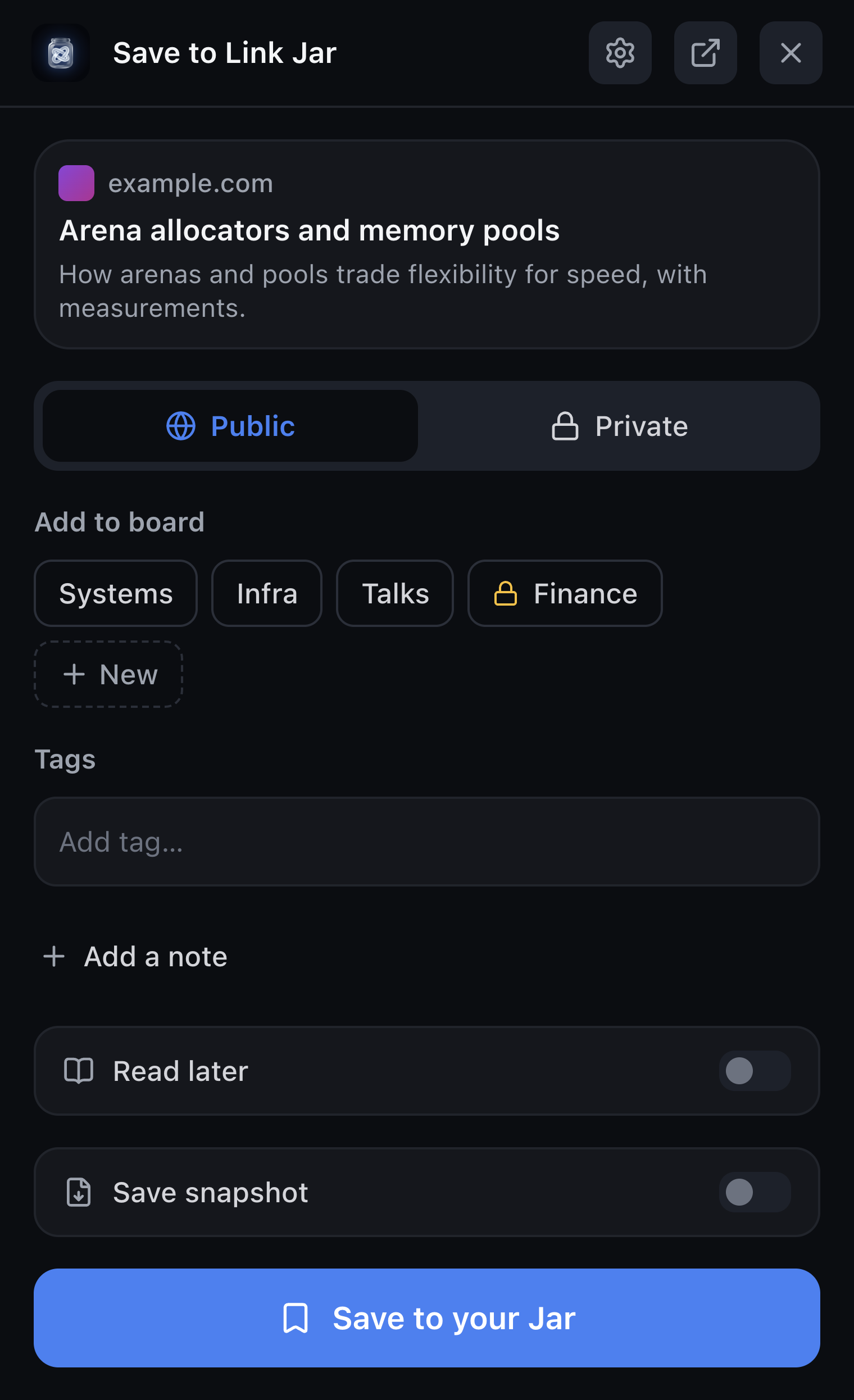
Save your first page
- Install from the official store link above, then pin Link Jar to your browser toolbar.
- Open Link Jar and sign in with your AT Protocol account. An existing Bluesky account works without changing hosts.
- Visit a page you want to keep. Open Link Jar, choose its visibility and board, and save.
- Open the web app to find, organize or read your links.
For a new hosted account, read about the free, invite-only beta at linkjar.social.
Save with a shortcut
On Windows and Linux, use Alt+Shift+S to save the page or Alt+Shift+L for Read later. On Mac, use Option+Shift+S and Option+Shift+L. You can change these in your browser's extension shortcut settings.
You can also right-click a page or link and choose Link Jar's save action.
Why does it request permissions?
Link Jar reads the page you choose to save, keeps local settings, and adds the right-click menu. Sign-in needs access to your account provider. Other AT Protocol hosts can require an additional permission request.
The optional saved-page badge requests tab access when enabled. The optional snapshot relay can request access to other websites. Review the browser's permission prompt before allowing either feature.
What stays private?
Private saves are encrypted on your device before storage. If you request a preview, snapshot or AI feature, the service performing that task can receive its URL or content. The extension has no analytics. Read the private-bookmark guide and privacy policy for the full boundaries.
Already installed?
Open Link Jar from your browser toolbar or open your Jar on the web. For sign-in or saving problems, see support.